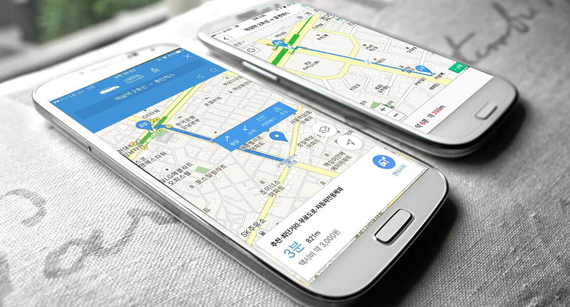
In short, Korea map apps matter because Google Maps is limited in South Korea. For most travelers, Naver Map or KakaoMap works best for daily directions, while Seoul Subway and Smart Seoul Map are useful extra tools in Seoul.
Travelers often arrive in Korea and assume Google Maps will handle everything. However, Korea works a little differently. That is why choosing the right Korea map apps before your trip can save time, stress, and wrong turns.
things to know before traveling to Korea
1. Why Google Maps Feels Different in Korea
The biggest issue is simple: Google Maps navigation is not the main option in Korea. VISITKOREA says the navigation (GPS) feature of Google Maps cannot be used in Korea and recommends local alternatives instead. The same official page points travelers to Naver Map and Kakao Map for multilingual navigation.
So, the real travel move is not to fight the system. Instead, download the apps that locals and official travel sources already recommend. That makes your trip smoother from day one.
2. Naver Map Is the Best All-Around Choice
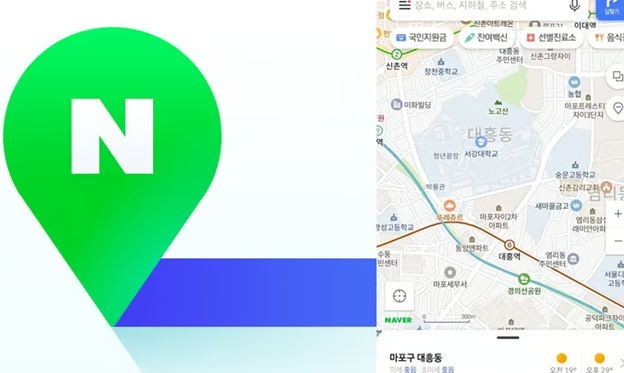
For most first-time visitors, Naver Map is the safest default app. VISITKOREA says it supports Korean, English, Chinese, and Japanese. Another official VISITKOREA travel guide also highlights Naver Map for route directions, travel time, bus stop information, bus routes, and real-time estimated bus arrival times.
That makes Naver Map the best choice for travelers who want one app for everyday movement. It is especially useful when you need to combine walking, bus, and subway directions in one place.
3. KakaoMap Is a Strong Backup
Kakao Map is another solid option. VISITKOREA says it supports Korean and English. That makes it useful for travelers who want a local map app but prefer a second option in case one app shows a route more clearly than the other.
A good rule is simple: use Naver Map as your main app and keep KakaoMap as your backup. That setup covers most everyday situations in Korea.
4. For Seoul Subway Trips, Use Seoul Subway or Subway Korea
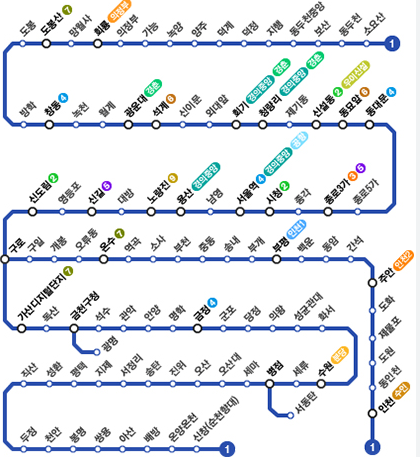
If you plan to spend a lot of time on the subway, a dedicated subway app helps. The Seoul Subway app, operated by the Seoul Metropolitan Government for international tourists, provides route information, location-based route recommendations, directions inside stations, nearby tourist attractions, passenger density by train car, and even exit and restroom locations.
Another useful option is Subway Korea. VISITKOREA says it covers metro systems in Seoul and the metropolitan area, Daejeon, Daegu, Busan, and Gwangju. It also offers real-time schedules, arrival times, line routes, transfer guides, and estimated travel time.
For travelers, that means one thing: your main map app gets you close, but a subway app helps you move faster once you are inside the station.
5. Smart Seoul Map Is Great for Tourist Routes
If your trip focuses on Seoul sightseeing, Smart Seoul Map is worth checking. Seoul Metropolitan Government says it offers routes to major tourist attractions in 12 languages, making it a strong tool for first-time visitors.
This is especially helpful when you want more than point-to-point navigation. Instead of only finding one destination, you can use it to explore nearby attractions and tourist-friendly routes in a more structured way.
6. The Best Korea Map Apps at a Glance
| App | Best for | Language support | Why it helps |
|---|---|---|---|
| Naver Map | Everyday travel | Korean, English, Chinese, Japanese | Best all-around choice for most travelers |
| KakaoMap | Backup local navigation | Korean, English | Useful second option for local directions |
| Seoul Subway | Seoul subway trips | Tourist-focused app by Seoul | Great for station details, exits, restrooms, and route suggestions |
| Subway Korea | Multi-city subway travel | Korea metro systems | Helpful for subway travel across major cities |
| Smart Seoul Map | Seoul sightseeing | 12-language tourist routes | Good for first-time visitors exploring attractions |
The table above is based on official tourism and Seoul city sources describing app language support and core functions.
7. Simple Tips to Avoid Getting Lost
Before you leave your hotel, save your destination in your main map app. Also, keep a screenshot of the route in case your signal drops inside a station or underground area.
When using the subway, pay close attention to exit numbers, not just station names. In Seoul, the right exit can save you several minutes of walking.
Finally, do not rely on only one app. The smartest setup is:
- Naver Map for daily directions
- KakaoMap as backup
- Seoul Subway or Subway Korea for train travel
- Smart Seoul Map for Seoul sightseeing
Final Thoughts
The best Korea map apps are not complicated. Use Naver Map first, keep KakaoMap as backup, and add a subway app if you will use public transportation a lot. If you are staying mainly in Seoul, Smart Seoul Map is also a smart extra tool for tourist routes.
Once you set up the right apps, getting around Korea becomes much easier than many first-time visitors expect.